Introducing the Meta-Skills Whiteboard
Practising difficult conversations takes real mental effort. When learners try to actively listen, formulate responses, and recall didactical frameworks all at once, cognitive overload can impact immediate training outcomes.
A real-time visual co-pilot
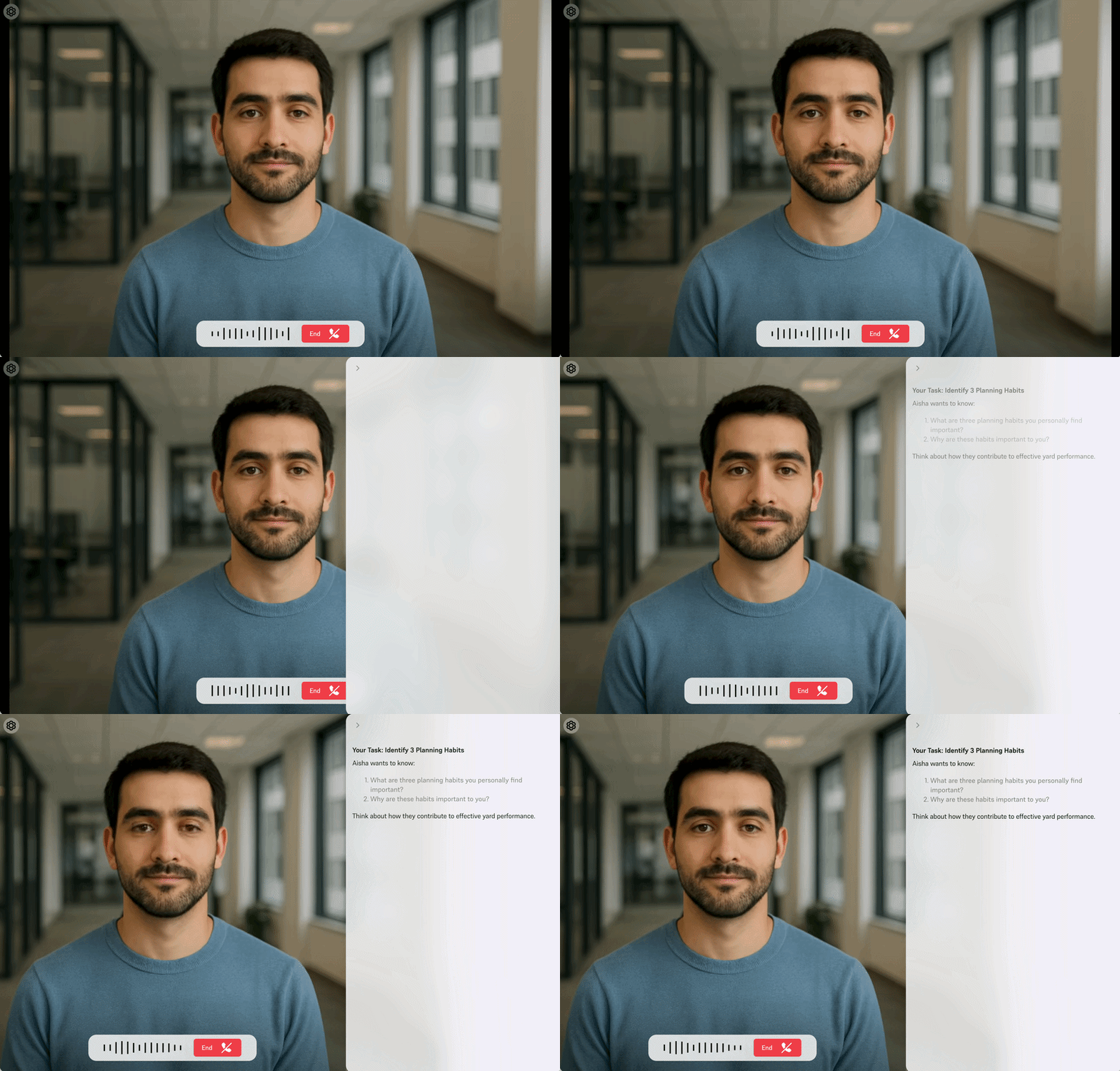
The Meta-Skills Whiteboard sits alongside the AI avatar and captures key information from the conversation as it happens.
Insights, bullet points, frameworks, and outcomes are dynamically generated and displayed directly on screen, giving learners the information they need during the conversation.
Supporting retention and reducing cognitive load
When information is delivered through both visual and verbal channels, retention can increase by up to 65%.
By capturing key points on screen, the Whiteboard can also reduce mental fatigue by up to 40%, helping learners focus on applying skills.
The Whiteboard can pull directly from your uploaded knowledge base and display your frameworks in real time, helping teams practise to your standards.
Custom setup
- Simple setup: Activate the Whiteboard with a single tick in Avatar Studio.
- Customisable prompts: Define what content should appear, how it should be structured, and any additional instructions.
- AI-generated summaries: Key insights, bullet points, and outcomes are dynamically generated and shown during the conversation.
What’s next
- Session Downloads: Learners will be able to export their Whiteboard data for post-training reflection and manager 1:1 reviews.
- Pre-Loaded Context: Learners will be able to feed past Whiteboards into new sessions, allowing the AI avatar to use previous session context.